

Did you set a reading goal for the new year? Looking for better ways to manage your reading lists or find your next book more efficiently? Then read on to learn more!
What are Libby tags?
Tags are a feature within Libby that allow you to “tag” books and sort them into lists to access later. Think of it as a digital way to sort book titles into piles – have read, to read, series, etc.
There are two types of tags: Manual and Smart tags.
- Smart tags are tags that automatically pull in data. For example, a smart “Borrowed” tag is created when you borrow your first title in Libby and will automatically keep track of your reading history. You can read more about the different types of smart tags in the Libby article What are smart tags and what do they do?
- Manual tags are tags that you create and manage. This is where you can have the most fun with tags in Libby! Manual tags can be named whatever you like, making them endlessly customizable to your unique reading needs and goals.
Saving a tag
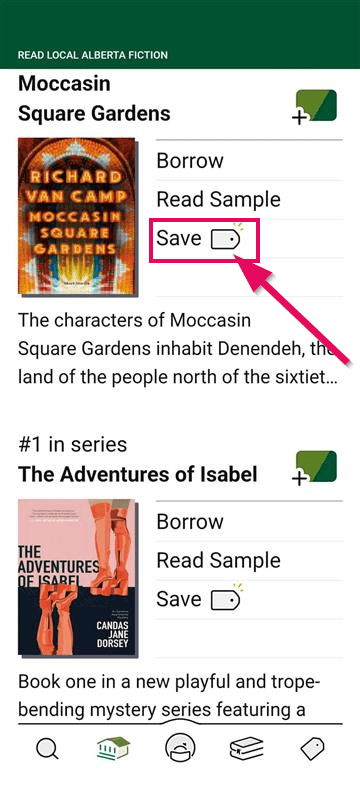

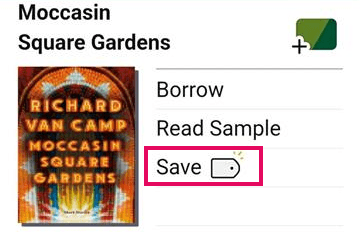
To save a tag, click on the tag icon in the title record. Then:
- Create a new list by clicking “New Tag”
- Or add to an existing list or multiple lists
You can create as many lists as you like, which makes it easy to organize your reading exactly the way you want.
Using tags
One way I use tags in Libby is to create a “Next in Line” reading list for titles that I am hoping to read soon. When looking for my next read, I go to the list and sort by “Available Now” to find a title I can check out immediately.
This helps me to keep a long-running list of personally curated titles to choose from without using my holds queue as a “to be read” list. If I’m waiting on a book to come in or am looking for a specific genre, I can filter the list and see what’s available right away. It’s an easy way to stay flexible while keeping track of books I don’t want to forget about.

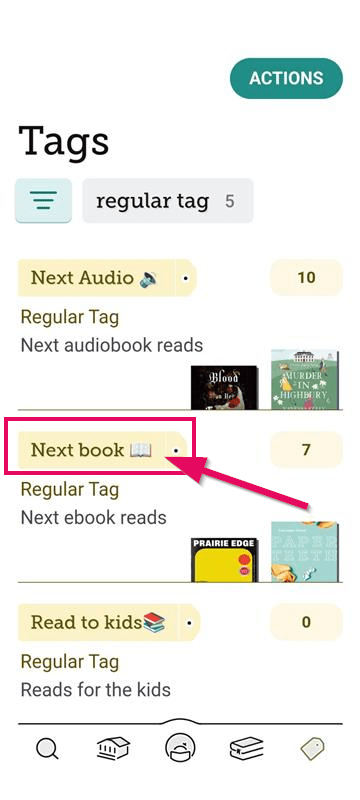
Of course, there’s no one right way to use tags. Readers get very creative with how they organize their TBR (to be read) and already read titles. I recently came across a Reddit post which highlighted some unique ways to use tags. Here are some of my favorites:
- By genre – mysteries, romantasy, horror
- By format – audiobook, eBook, magazine
- Seasonal – access those holiday romances as soon as the season hits
- Recommendations – keep track of titles to recommend to family or friends
- Series – track any books left to read in a series (tip: use deep search and a smart tag to be notified when the next title in the series is added to the collection)
- “Ran out of time” – for popular titles you didn’t finish and want to place on hold later
- Learning – tag books around a specific topic like ‘guitar’ or ‘bird watching’
- Audiobook road trip – organize your listening for travel
Hot tip: The character limit on tag lists is very small so using emojis can convey a lot with few words.
However you choose to use them, tags are a simple way to stay organized and make the most of your reading time in Libby.
Back Up your Libby tags
Finally, don’t forget to Back Up your Data in Libby so that you can access your tags across devices or restore your tags if you need to delete and re-install the app or reset your device.
Happy tagging!

Add a comment to: Using Libby Tags to Better Manage your Reading Lists